WRITING
One-Person Full-Stack Infrastructure
April 8, 20263 min readTianli Zeng
indie-devdevopsvpsautomation

Why I Don't Use a PaaS
Vercel, Railway, Render — these platforms are convenient, but they come with a few problems:
- Unpredictable cost: a traffic spike can produce a frightening bill
- Vendor lock-in: migration cost grows exponentially over time
- Limited flexibility: running a cron job or websocket starts hitting walls
- Shallow learning: you stay ignorant of the underlying stack and have nowhere to start when something breaks
A single VPS ($30/month) can run everything, fully under your control.
The Big Picture
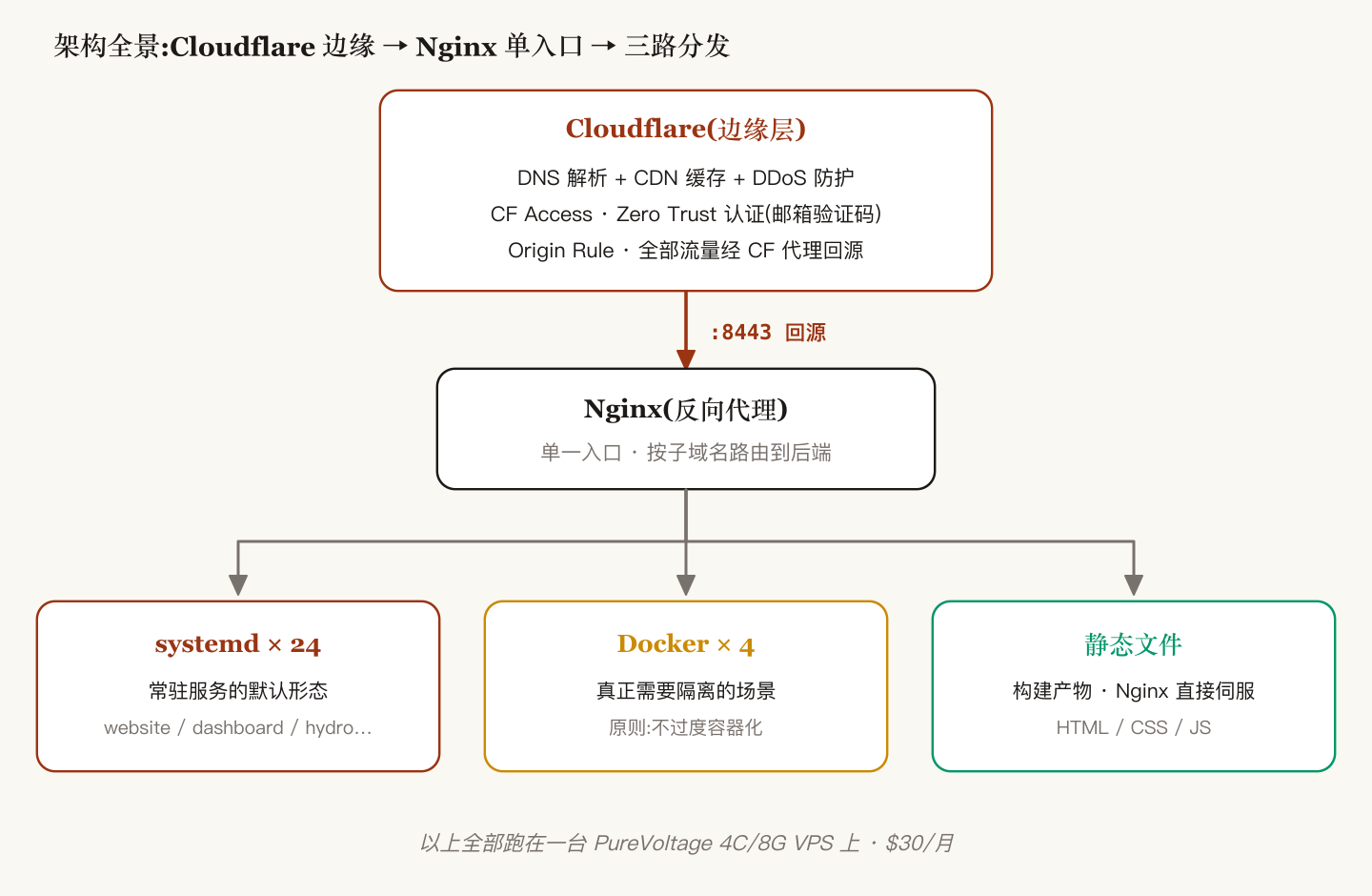
Network Layer
- Cloudflare: DNS resolution + CDN caching + DDoS protection
- CF Access: Zero-trust authentication via email verification — replaces a self-hosted login system
- Origin Rule: All traffic flows through CF and falls back to port 8443 on the VPS
Nginx
A single entry point that routes by subdomain:
server {
    server_name tianli.cyou;
    location / { proxy_pass http://127.0.0.1:3000; }
}
server {
    server_name dashboard.tianli.cyou;
    location / { proxy_pass http://127.0.0.1:3001; }
}
# ... more subdomains
Service Management
Every service runs under systemd:
# View status of all services
systemctl list-units --type=service --state=running | grep -E "website|dashboard|hydro"

# Deploy a new release
cd /var/www/website && bash deploy.sh
# deploy.sh handles: git pull → build → restart
Automation
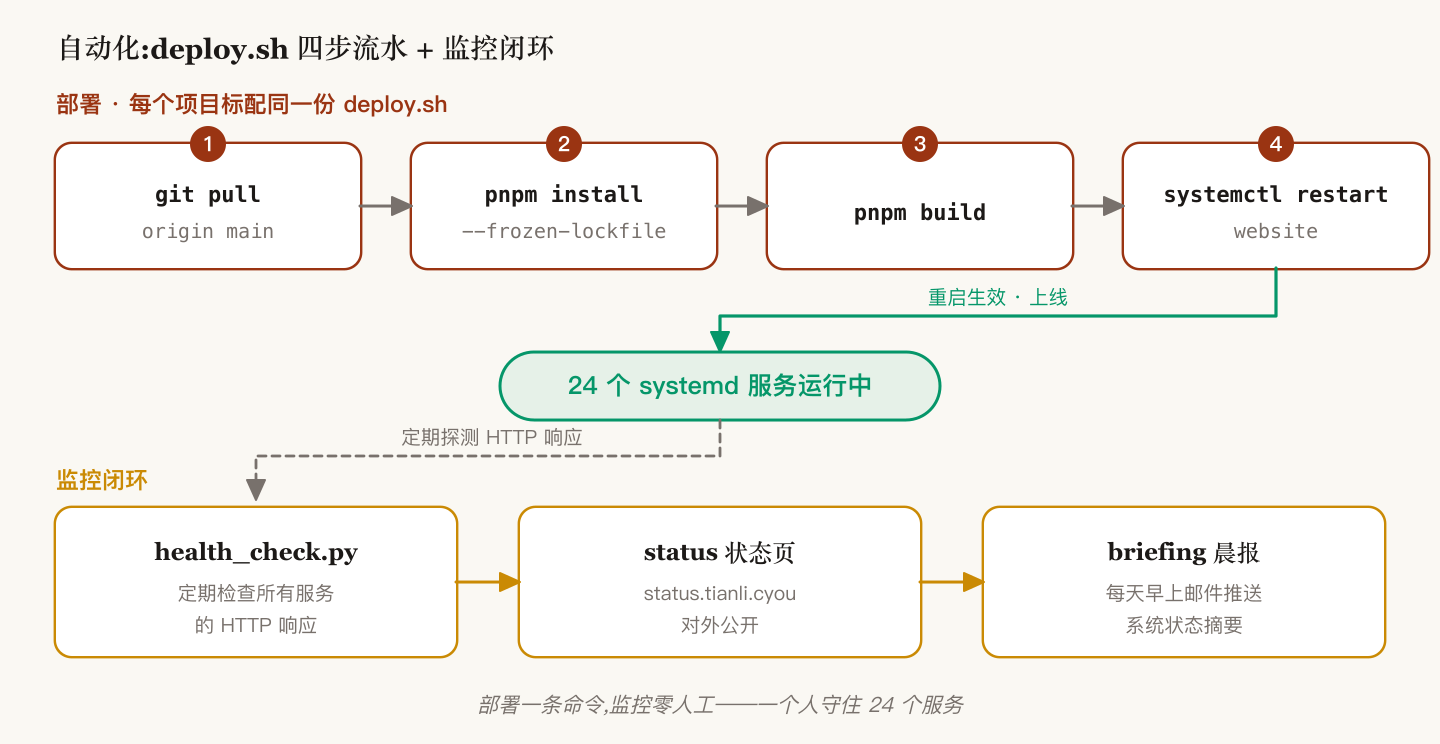
Deployment
Every project ships with a deploy.sh:
git pull origin main
pnpm install --frozen-lockfile
pnpm build
sudo systemctl restart website
Monitoring
health_check.py: periodically checks every service's HTTP responsestatus.tianli.cyou: a public status pagebriefing system: emails a daily morning summary of system health
DNS Management
# List all DNS records
python3 ~/Dev/tools/dev/lib/tools/cloud/cf_api.py dns list

# Add a new subdomain
python3 ~/Dev/tools/dev/lib/tools/cloud/cf_api.py dns add hydro-new A 104.218.100.67
Cost
| Item | Monthly |
|---|---|
| VPS (PureVoltage 4C/8G) | $30 |
| Domain (tianli.cyou) | ~$1 |
| Cloudflare | $0 (Free plan) |
| Total | ~$31/month |
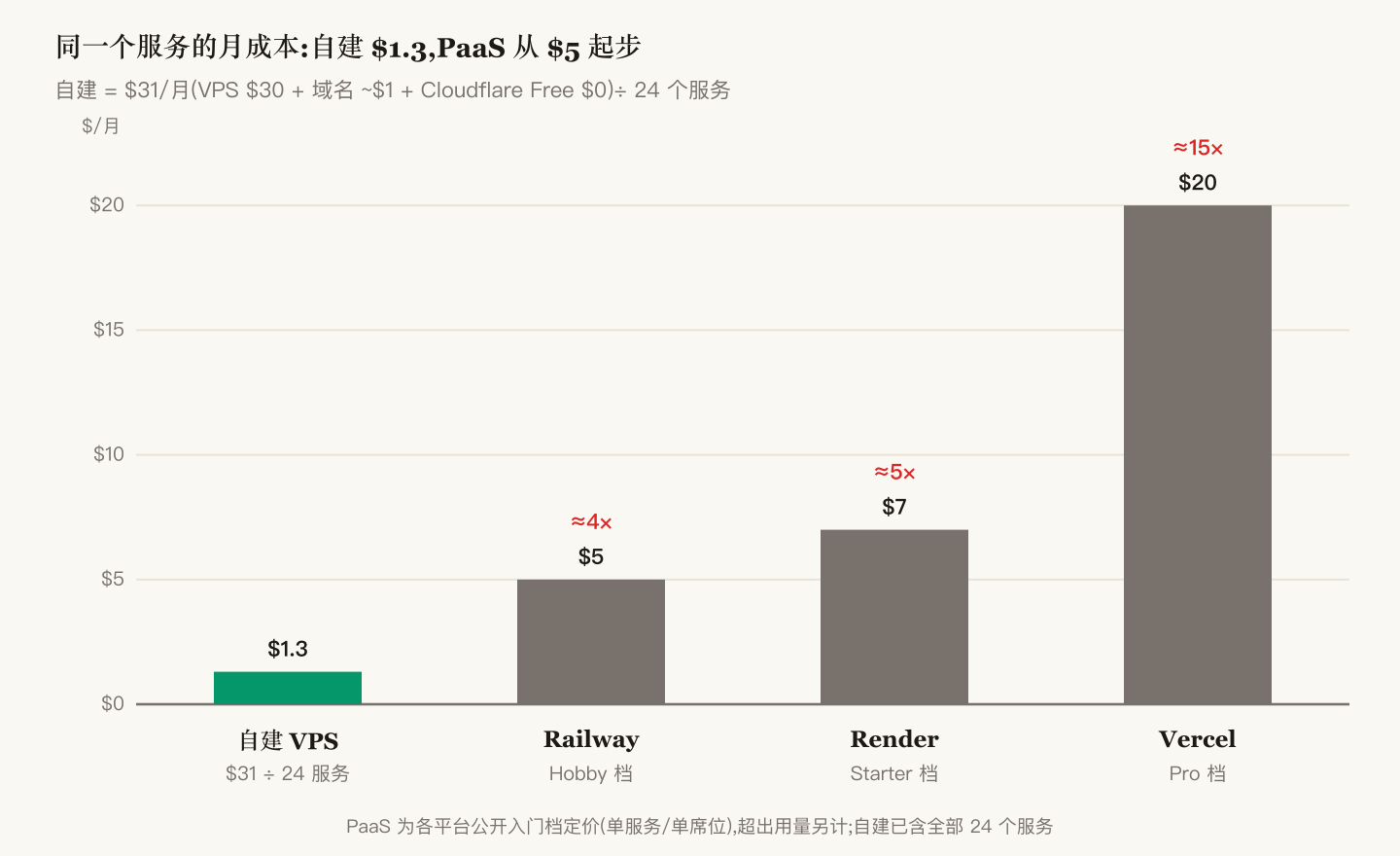
$31/month for 24 services — about $1.30 per service per month. No PaaS comes close.
Takeaways
- systemd is the best process manager — no need for PM2, supervisor, or anything else
- Cloudflare Free is enough — CDN, DDoS protection, SSL, Access, all free
- Standardize the deploy script — keeping every project's deploy.sh structurally identical reduces cognitive load
- Don't over-containerize — simple Node.js/Python apps run fine under systemd; reserve Docker for the cases that genuinely need isolation
RELATED
FOLLOW
New posts land here first. Subscribe via RSS: /feed.xml
AUTHOR
Tianli Zeng
Hydraulic engineer. I write about AI methodology and engineering practice.
Found a mistake, or have something to add?